A gym workout log for every set.
Your training history is the starting point for your next session. GymBro keeps your exercises, completed sets, reps, and recorded weights together so you can spend less time trying to remember what you lifted.
- Record sets, reps, and optional weights.
- Build workouts and reuse saved presets.
- Return to completed sessions in your history.
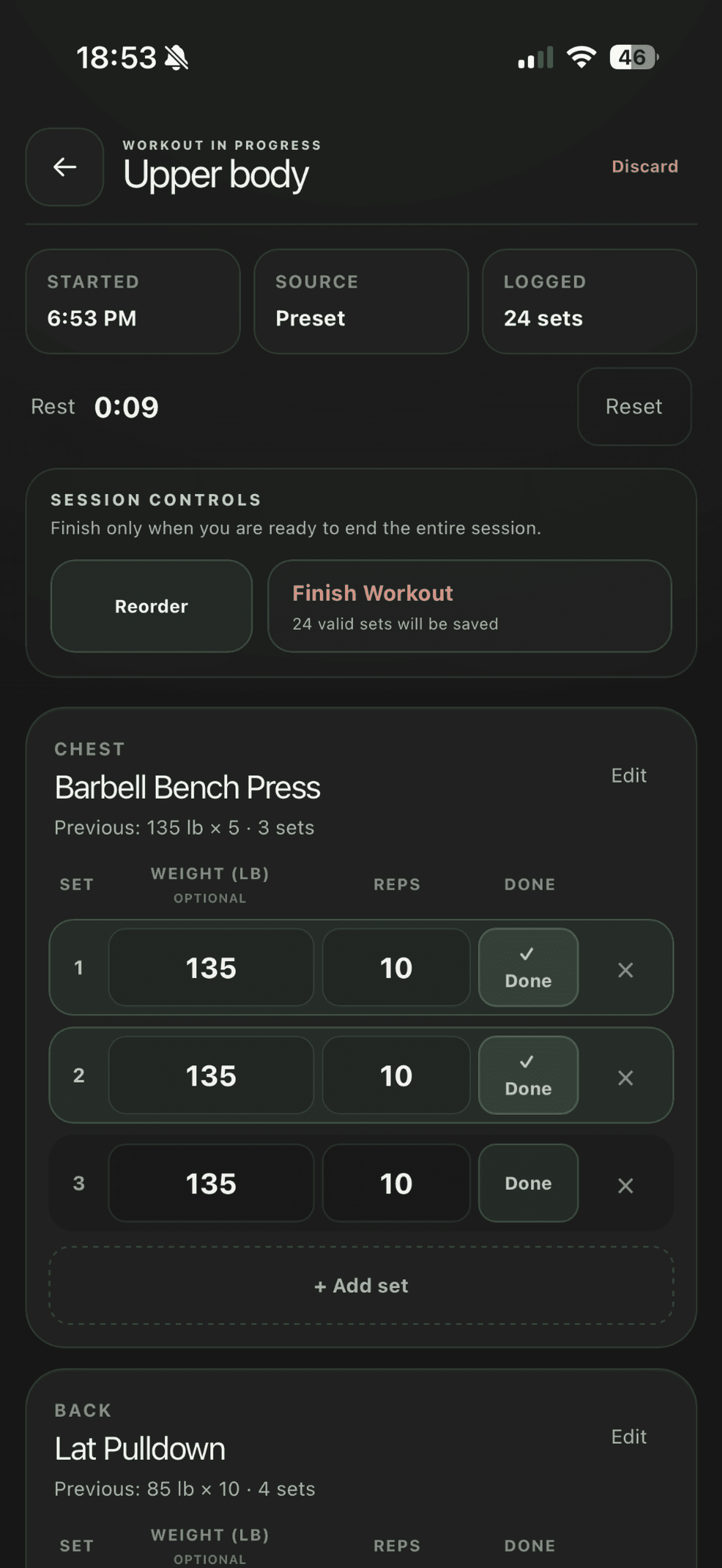
Keep the useful details close
Choose your exercises, log the sets you complete, and save the session when you finish. Recording weights alongside reps gives you a clearer reference for the next time you train that exercise.
Build a routine you can return to
Save a workout as a preset when you want to repeat its structure. You can begin with that template and adjust the session to suit the day rather than building the same workout from scratch.
Turn your history into context
Completed workouts feed your training history, muscle recovery estimates, and progress views. Consistent logging makes those views more useful; a workout you do not record cannot inform them.
Put workout tracking to work in your next session.
About workout tracking.
What can I record in GymBro?
You can record exercises, sets, reps, and optional weights, then review your completed sessions in workout history.
Can I reuse a workout?
Yes. Saved presets let you return to a workout structure and use it as a starting point for another session.
Make every
session mean more.
Your training. Your recovery. Your progress. Together.
For iPhone and iPad · iOS 16.4 or later. Also available on the web.